I want to cancel my paid subscription
You can cancel your n8n subscription via the Admin Dashboard located here: https://app.n8n.cloud/manage
Once in the Manage tab, you can click on the Cancel plan button to cancel your subscription:
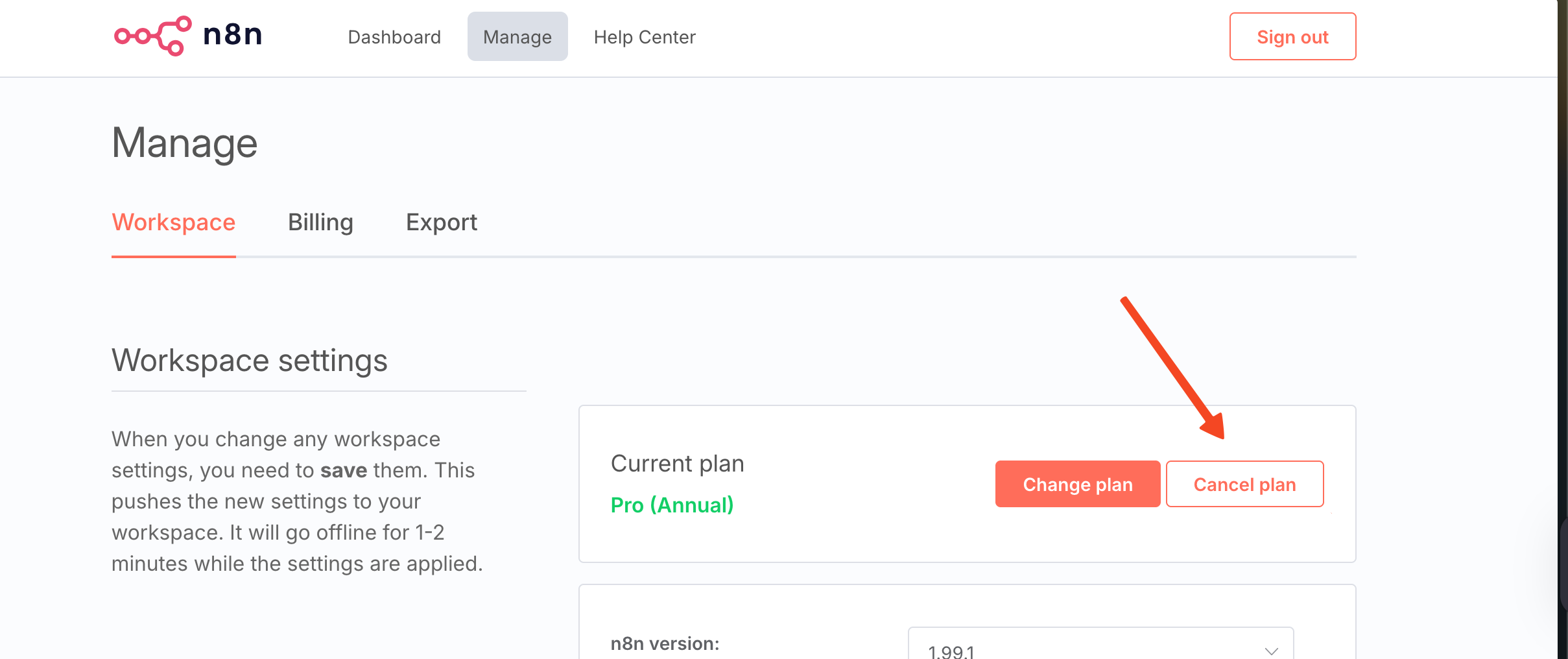
Follow the steps that will appear on screen, and you're done! Your subscription will be cancelled, and it will not renew on the next billing cycle.
What happens after your billing period ends
Your workspace keeps working until the end of the billing period you've already paid for. Once that period ends:
Your workflows stop running, including scheduled and webhook-triggered ones.
Your n8n Cloud instance is stopped, and it's deleted shortly afterwards.
Your account data and backups are kept for 90 days after the end of your subscription. If you don't resubscribe within those 90 days, they're permanently deleted.
If you resubscribe within the 90 days, we restore your workspace from its most recent backup. If you'd like your own copy of your workflows, export them before your billing period ends.