
How to delete a workflow
To permanently delete a workflow, you must first archive it.
1. Archive the workflow
You can archive a workflow in either of these ways:
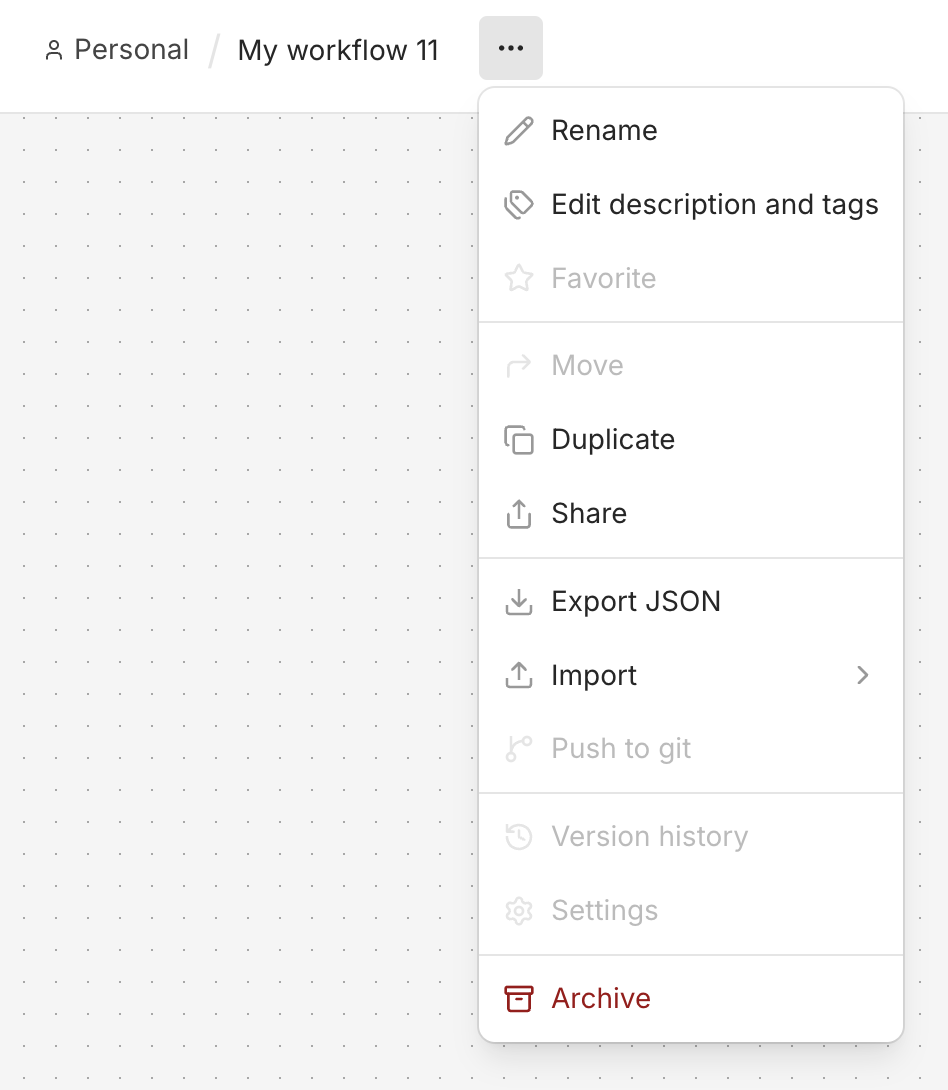
From the workflow editor:
Open the workflow, click the three-dot menu, then select Archive.
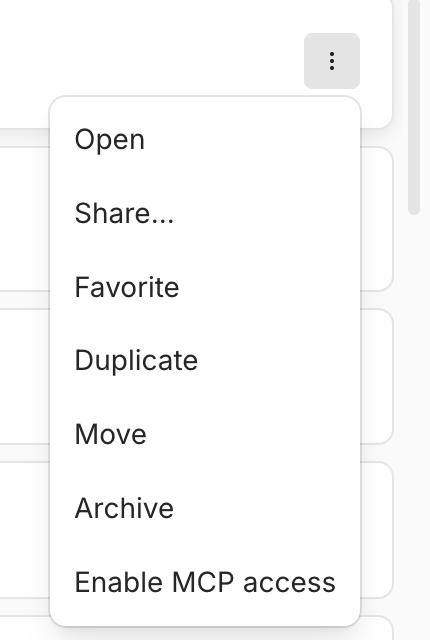
From the workflows list:
Find the workflow, click its three-dot menu, then select Archive.
2. Permanently delete the workflow
Warning: Permanently deleting a workflow also deletes its execution history. This action cannot be undone.
You can permanently delete an archived workflow in either of these ways:
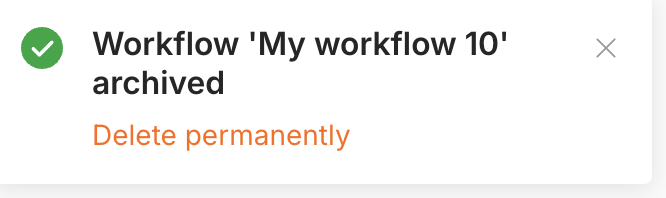
Immediately after archiving:
Click Delete permanently in the notification that appears in the bottom-right corner, then confirm the deletion.
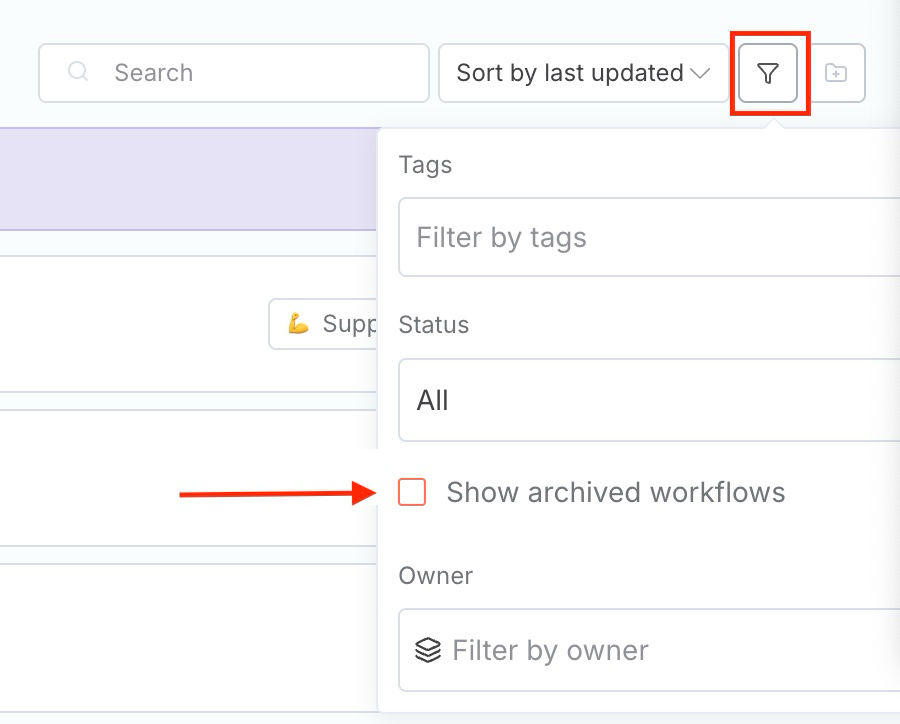
From the archived workflows list:
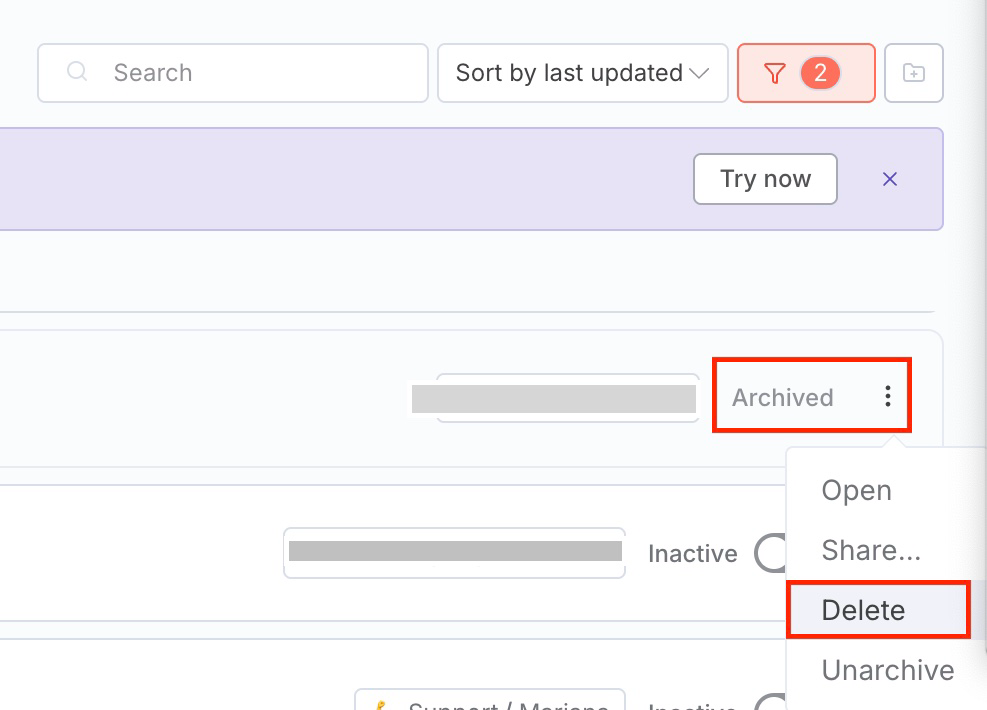
On the Workflows overview page, click the Filter icon and select Show archived workflows. Find the workflow, click its three-dot menu, select Delete, then confirm the deletion.
Filter:
And Delete:
Deleted a workflow by mistake?
You may be able to recover it from a backup created before the deletion, if that backup contains the workflow. See I accidentally deleted my workflow for recovery options.
Article Last Updated At: 2026-10-12T09:51:20.102Z